

Transcript
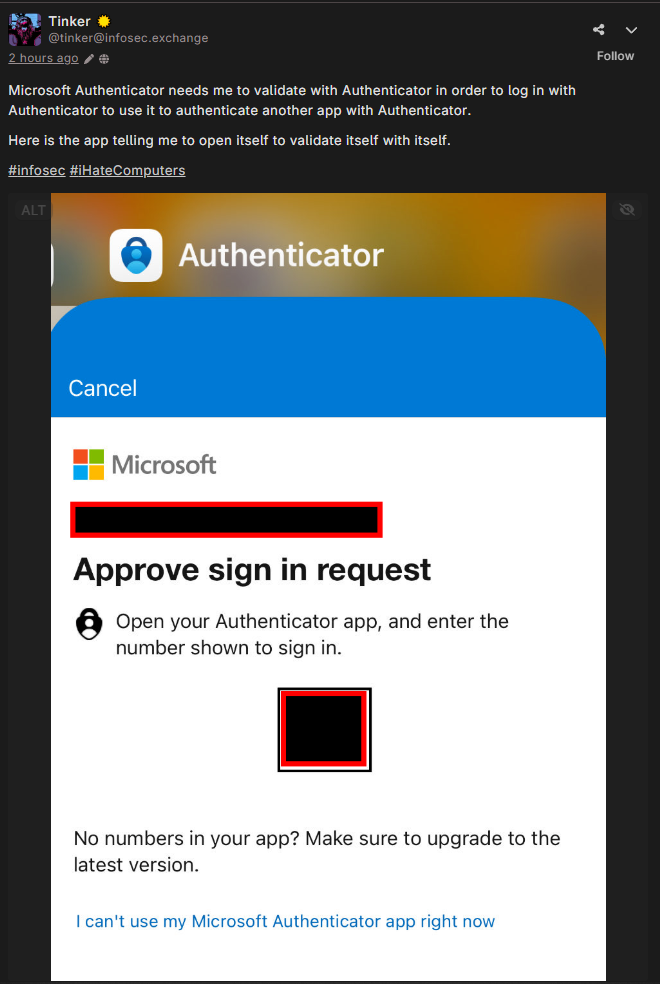
A wafrn woot (post) by @tinker@infosec.exchange saying “Microsoft Authenticator needs me to validate with Authenticator in order to log in with Authenticator to use it to authenticate another app with Authenticator. Here is the app telling me to open itself to validate itself with itself. #infosec #iHateComputers” It has a screenshot showing the microsoft authenticator app.
This is why I hate passkeys and authenticators (as mandatory requirements). The moment I lose my phone I’m just completely fucked with no recourse, in actual use case.
I use vaultwarden (passwords, mfa, etc), which moves the point of failure from a device I hold and am at constant risk of dropping, to the server it’s running on that has no risk of being dropped. There are people that will scream ‘you shouldn’t store mfa with your passwords’ but if someone already breaches my vault then I have WAY bigger problems, so the argument is moot. Just secure your shit correctly and it’s nbd.
Then it becomes a case of data safety and integrity, so raid, snapshots, encrypted backups on and off-site, having those encryption keys accessible in a physical form near the server for recovery…
Yeah I had a beautiful moment trying to use Google’s find my phone feature in another country when it asked me to use MFA on…my fucking phone. Turned off Google MFA forever after that near nightmare. Luckily another kind tourist found and turned in my phone to the nearest worker at the place I was visiting
Yeah, I also had a beautiful moment trying to use Google’s find my phone feature in another country when I didn’t know my password. Used “password123” after that near nightmare.
Security works best when it’s really easy to get into my account even though I don’t remember my credentials.
I guess using strong and unique passwords on every account is the mark of a moron but true genius? That’s a company with some of the supposed best engineers in the world who needs you to have your fucking phone to find your fucking phone. What a great system! All hail Google and flawless security practice!
Believe it or not, the best engineers in the world can’t help if you lose your backup codes. You know, the ones that you can use when you need MFA but don’t have your phone? Removing MFA because you had trouble one time “is the mark of a moron but true genius”.
Believe it or not, some people are only better with their security practices than 99.99% of humans instead of 99.999%. pfft, total idiots, right? Now let us pretend we are 100% muahahhahah so smart
I have no idea what you’re trying to tell me, sorry. I do assume it was something totally devastating, though, so consider me totally devastated. You can stop the hostility now, I just made a joke at your expense, it’s not a big deal, honestly.
Also, I highly recommend reactivating MFA on your account. It’s a good thing to have, generally. Yeah, it can suck when it doesn’t work but now you know how hard it is for someone unauthorized to get into your account.
There are multiple other security measures in place on my account thanks.
It does seem like you were a little upset by my joke. Probably because the imagery of a Terminator coming to kill a person over a find my phone request is an actual joke. Not just sarcasm designed to shame someone. Whatever, jerky weirdo.
RIght, you just happened to forget about those when you really needed them. But yeah, I apologize for giving you advice. That was obviously wrong of me.
Also, yes, incredibly bothered by your joke that definitely wasn’t sarcasm designed to shame me at all since you apparently meant that “imagery of a Terminator” literally. OK. I get it. You take jokes really well. Can we be done now?
No the best system is if you try to find your phone without having your phone, a cybernetic lifeform should track you down and rip your spine out for trying to find your phone. Then some dipshit on the Internet without a shred of humanity can feel smugly superior about it
Fuck right off, buddy. You confessed to making dumb security choices on the internet and got mocked for it, yeah. This has nothing to do with “oh the humanity!”
You admitted to being a huge asshole so you get a response reflecting that and now you’re crying about it
Someone made you the butt of a joke on the internet. Please get over it and don’t go shoot up your school.
FuCk RiGhT oFf
You’re overreacting a tiny bit, maybe?
This is where you’re supposed to run the find my phone from another device where you’re already signed in, such as your laptop at the hotel room. Or alternatively have one of your partner’s accounts as a backup 2FA method since your partner probably didn’t lose their phone at the same time.
If anyone can sign into the account and lock the phone as lost with just a username and password then the moment your username and password are breached/guessed your entire account is as good as gone
A lot of people here are treating me like I’m stupid when my only point really is that Google knows the one way I cannot recover my phone was with the phone itself so it’s not a smart design to offer that. Carrying more devices isn’t a real option either, so I get that technically it’s possible, but smarter people than I should’ve come up with something better by now. No one can carry or afford a backup phone.
You’re supposed to have backups for MFA. Though for passkeys (specifically ones for yubikey) are really hard to backup.
I am not always going to remember to register my primary yubikey and my two backups that are physically never together.
That’s why you always register a second hardware token. Those things could get lost.
I’ve started employing one physical hardware token as my primary means of MFA and a TOTP or backup codes if the website provides them.
I have two backup hardware tokens (so three total) but it’s become impractical to keep them all in sync. And not all websites support multiple hardware tokens.
My initial idea is to have a key locked at home in the event that I lose my primary key. The third was just a spare I got at work.
Also the number of websites that don’t have proper MFA that really should amazes me.
E-Trade has that shitty symanticVIP MFA. My primary bank still does cell phone MFA with no plans to do TOTP.
Honestly, the bare minimum should be TOTP.
And remember kids: passkeys by themselves are not MFA.
I use andOTP for two factor authentication. It’s free and open source, and available from the F-Droid app store. It allows you to backup your cryptographic keys in plaintext, with a password, or asymmetrically encrypted using OpenPGP. I keep my backups in a fireproof safe on two flash drives.
Thank you for the resources, I’ll be sure to check them out.
Unfortunately I’m still on iOS atm (hoping to switch to Android -> GrapheneOS down the line, when I have the finances), so I’m stuck trying to find something that’ll work between that and my Linux desktop, with GoogleAuth being my primary OTP app.
Cursory Internet search suggests something called 2FAS for mobile so I’ll see if it’s a cross platform option. I actually didn’t know non-corpo authenticators existed until today so it’s an exciting path to explore. /gen /pos
I would highly recommend Ente Auth for 2FA on iOS devices.
It allows for export to a file that you can then import into other apps. You can also use their own sync service.
Personally I use Ente Auth on iOS and Aegis on Android. Both support backups to files (I back up to my own nextcloud) and imports from each other. I could just use Ente Auth on my android devices too, but I just prefer Aegis.
I broke my phone, and this actually happened to me. Google had set my old broken phone as a default passkey without my knowledge, back when they were rolling it out. My sim card was retrievable, so I used SMS to get in after my password. Turns out, that’s not good enough. It took me days to get into my idiotic accounts (including Google authenticator for work) because of all the security hoops, even with backup codes, password managers, and a SIM card.
My saving grace was Firefox Sync, which allowed me to get into Microsoft accounts and slowly start unwinding Google’s insane requirements.