

It works fine on X, but switching to Wayland grays out the option to select which window.
- Add screen capture

- Your system will do a pop up to select screen, region or window
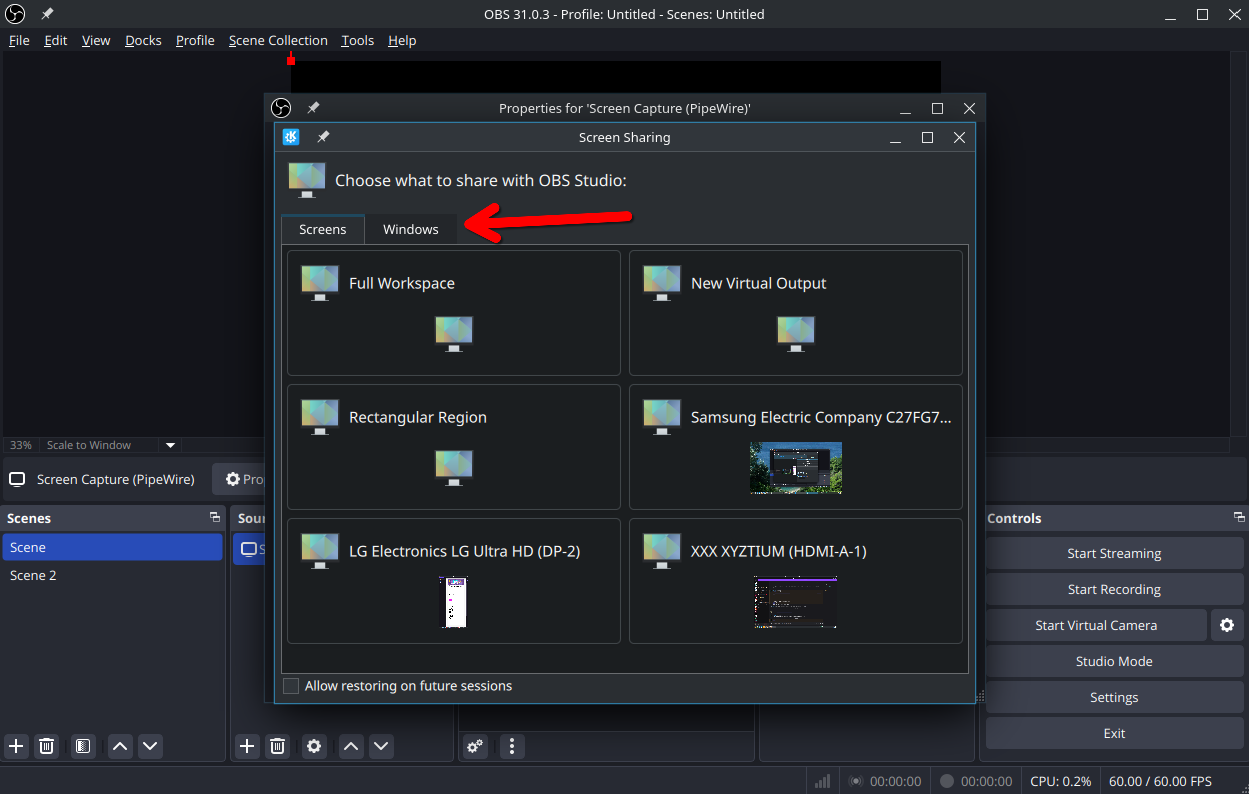
- Here you can see it working with a window. If you don’t get the popup from 2, here is a button to force it

If that does not work for you, something is broken and if you want help you have to post details on OS, DE, OBS logs and system logs.
Thanks. Screen capture isn’t quite the same as window capture though. But this works.
I’m not sure why they decided to combine the functionality for Wayland.
The button in OBS is called “screen capture” but when you press it, you can select “window” which results in only the window being captured, even though OBS says “screen”…
You can see it working in my screenshots. It captures only the window I selected (Dolphin, the file manager)
There is a tab in that selector dialog for windows. Arrow is pointing at it in the screenshot.
Should have made it bigger I guess.
- Add screen capture
