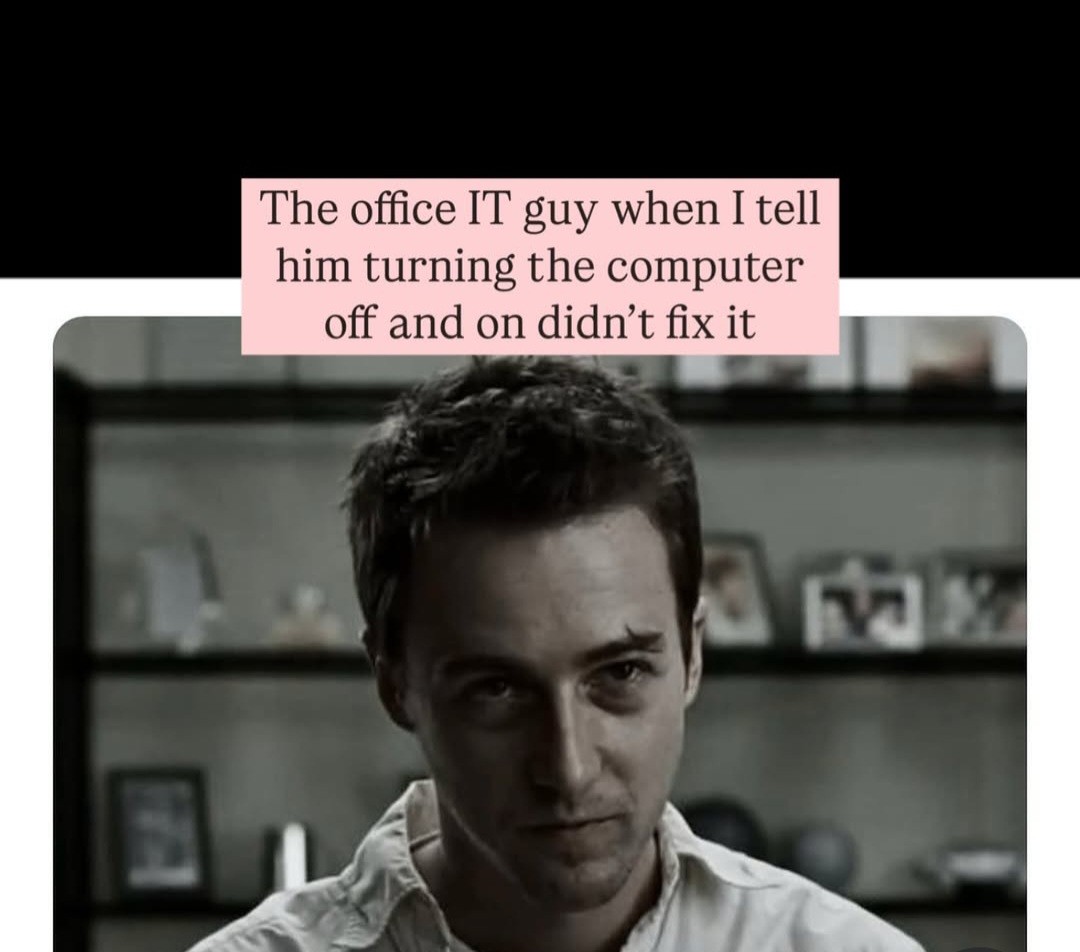

We don’t hate you. We hate everyone
“I don’t hate you specifically… My hate is universal.”
Not as much as we hate Microsoft.
Understandable
“I tried to turning the server on and off again, but that didn’t fix the problem”
IT-guy: 💀
My initial thought is “I don’t believe you” if they claim to have already restarted the PC. Sometimes they Think they did but only put it to sleep or something, and sometimes they are just lying to seem less stupid.
This. “Lets try it again, just to be sure.” ::watches them put it to sleep with the soft power button::
The real fun is when you can’t watch what their doing because its over the phone, so you just have to hope they are doing it right. I used to hit them with the “Let’s try this; hold down the power button for exactly 30 seconds, then turn it back on.” Worked every time, but I did once have a guy ask me why that worked, and I didn’t want to call him an idiot so I made up some BS about it being a way to “flush the power from the system” and he bought it.
I’ve had people unplug the system “just to be sure it’s plugged in properly” when they “absolutely restarted” but nothing worked. ‘Miraculously’, that solved the problem.
I don’t think it’s dumb to tell people that power buttons often just put computers to sleep now. It’s a relatively new behaviour. Until about 5 or 10 years ago power meant power off, not low power.
Even shutdown doesn’t actually shut down anymore in Windows. Even on desktops. You have to change system settings or shut down via command line to get a real shutdown.
That’s why update and shutdown does a reboot instead now.
Funny enough, sometimes you used to have to hold the power button to drain the caps. That would (rarely) fix some laptop issues.
One time a friend and I (both in IT at the time) tried absolutely everything to fix a bizarre computer problem, then he told me to literally pull the hard drive completely out if the case and sit unplugged overnight before putting it back in. For some reason that worked, even though unplugging everything and plugging it right back in did nothing. Asked him why and he said “No idea, I was desperate.”
Not just laptops, even. I’ve fixed desktops that way. Unllug and hold power button.
And I’m fairly sure it might still work in some exceptionally niche scenarios
Not just laptops, or desktops, but I’ve had it work on Printers, though you had to unplug the cable from both ends for it to work for whatever reason.
I’d just run a continuos ping and see if it dropped offline at all, and for how long.
Someone said you tell them to turn it off and unplug it, because you need a number from the plug side going into the computer. Then you coach them through the process to find the right plug, and they don’t feel stupid because this is a strange process.
Then when they say there’s no numbers on the plug, you pretend like this is new and useful information, tell them to hold the power button and make sure no lights come on, and then you tell them to plug it in and turn it back on
Now, not only have you confirmed they definitely turned off the computer without asking a bunch of potentially insulting questions, the showmanship makes them feel like this is arcane knowledge you’ve taught them
I’d opt to just explain how restart and shutdown/power on works if they needed all that but most users I’ve worked with don’t want to be involved in the fix, they just want it fixed.
This is why it is not at all unreasonable to envision future IT people as basically being Comstar or the Mechanicus. People already think we do magic, just wait a hundred years and we can convince them of anything.
What do you mean? I already believe I do magic. Granted, I’m not IT, I’m a dev, but I literally type words and runes and the lives of thousands of people change.
The customer will call me and say “I need to do this, I have this problem, help” and I either say “it will be done” or I tell her to go through a series of arcane actions, maybe asking for strange sequences of actions or ask for special numbers I leave around that mean nothing to anyone aside from me and my coworker
I literally sometimes say “this feels fucky, can you restart X or Y for me?” And my team lead is just like yeah, ok, that makes no sense let’s try it. And vise versa
You have no idea how superstitious you get as a senior dev. And it works. It’s just better and faster to accept rituals that work than to dig into every problem
Praise the Omnisiah.
Too many people think that just turning off the monitor is what you want them to do. They’re usually the same people that refer to their entire desktop PC as “the hard drive”. At least that was my experience about a decade ago.
And claim they need ‘more memory’ when they run out of space on the local drive because they’re storing all their important files in the recycle bin.
Always pains me to watch Chuck because it’s a show about an IT support guy and HE ALSO REFERS TO DESKTOP COMPUTERS AS HARD DRIVES LIKE WHAT THE FUCK, WERE THEY ACTIVELY TRYING TO DRIVE US MAD
Once I had a user swear up and down they restarted the computer 3 times, and asked if I thought they were an idiot.
I said, “No, I’m not saying you’re an idiot, but your computer is saying it’s boot time was 18 months ago.”
Spent too long in tech support - The trick with people like this is to move the goal to something that they certainly haven’t done before yet still accomplishes the same goal. Here I would honest to God ask the customer to check the pins on the power cable to make sure they’re straight. I don’t give a damn about those pins but they have to unplug the computer to look.
I just say, “Let’s go ahead and try it again so I can check that box off.”
Same! I’d say, “Look, I know you’re not stupid but do this thing so I can get past the initial troubleshooting. Humor me.”
I used to tell them I was checking something and open up cmd and get system uptime right after asking that.
The number of people shocked at being called out for having their PC on for over 60 days straight is enough to make anyone lose faith in humanity.
I used to see a lot of people log out and back in and think that was restarting. Still wish Windows had an uptime command
I’m mad WMIC is gone. That thing was fucking useful, so of course Microsoft went out of their way to get rid of it.
What?! That’s going to break a shitload of my PowerShell scripts.
Whaaaat they removed wmic?! I used the crap out of that when I did windows admin.
Yeah. It’s been deprecated for a while, but I’ve been running into some 11 systems where it is totally gone.
Have fun remembering a whole buttload of random PowerShell cmdlets to do the same fucking thing as that one tool.
Still works on my Win11. Now you got me anxious waiting for it to die.
I don’t get as mad at Microsoft as most around here, but this is some boolsheet.
Does get-ciminstance not do the trick? I know the PS wmic cmdlets are depreciated, but I doubt they’d remove it entirely given how much uses that in the background.
You can check Windows uptime in the taskmanager under the Performance tab.
Yeah, or network settings (not always accurate) or Powershell. It just would’ve been nice to Win+R, cmd,
uptime- way back I’d usenet stats srv(orwksta)
Does it not still show in Task Makager?
It shows there, from the CPU under Performance. I just like command line options
Good! I thought maybe the enshittification that is Windows 11 changed that.
Systeminfo | find “Boot Time”
Systeminfo|findstr Boot
Works as well, but the B in boot has to be capitalized
On the other hand, our endpoint management solution reported long, continuous uptime even if devices were shut down. Turns out fastboot was to thank for it.
Yeah, my job didn’t pay for any of that fancy stuff. This was a wmic command.
That’s fine. If we do a whole bunch of stuff with no results, but then I try reboot/power cycle and it works, I’m telling your supervisor.
IT in general isn’t more important than you, but we have responsibilities that are. If I’m dicking around with your PC because you couldn’t take a minute to reboot when asked, you’re the reason I’m putting down for why other things don’t get finished.
Though soon to no longer be IT, i guarantee that if you bring them cookies and coffee theyll start to love you :)
Corporate sent me a laptop that kept not talking a charge, so I get on with an IT guy and we go through a bunch of steps then he has me open WSL and I’m like “oh this is just the terminal”. He instantly went from “this is a chore” to upbeat. After that he was super helpful and even called in a RMA for the dock that we figured out was the issue (we usually have to call in our own RMAs), then once I got it he called back and walked me through flashing it to the latest firmware, rather than just emailing the instructions.
When I left my last job I took the IT department cakes. They nearly fainted
Unless they are struggling with their weight and self control, and have worked very hard to remove temptations from their workspace. :(
A few guys at my work actually just asled us what we wanted from the cafeteriawhen we were doing long fixes on their laptops (I work in a uni)
Just the coffee then? Black, no sugar
Did you turn it off then on, or restart?
Fucking windows
Restart, shutdown, and halt are all different for Unix based machines as well. So you need that info to diagnose issues on Macs or Linux machines too
People expecting me to magically fix what Microsoft keeps breaking in every imaginable way, update after update, with bugs failing to be fixed for literal years, and then getting pissy at best or straight up an asshole Karen who wants to talk to the manager—or sometimes CEO!—while insulting me at worst, if I’m unable to fix or workaround this horrible closed source, poorly documented hot garbage with no real human support from Microsoft.
Meanwhile Linux. When shit breaks, I might spend days troubleshooting, but fuck if I don’t manage to do it after finding some 5 years old thread on a forum that leads to a line of code in another random thread. Also logs. Love that shit.
turn off monitor
count to 10
turn on monitor
“Nope, didn’t work”
PEBCAK
Related to PEBKAC: In Estonian we have a saying: “the problem is in the cardan between the seat and the steering wheel”
Supposedly a fairly eccentric teacher I had (businessman and ex 90s “connected” guy got bored and wanted to teach middle school shop class to confirm the rumors that kids are indeed getting stupider compared to the “good old days”) once managed to get an employee of his to go to the parts store to ask for said “cardan” for their car after asking him for advice.
ID10T
PICNIC
One I didn’t know! I like this one.
Yeah, had that. Reboots take longer than 5 seconds.
“Oh you mean reset the hard drive?”
If that is what we must call it to end this conversation, then yes.
When I worked for a small business MSP, my boss had an off hours call about an issue, walked the guy through rebooting their server. He was monitoring the uptime so he saw it go off. Then he told them to turn it back on. The guy said he did, but my boss never saw it come back online. He asked him if it was lit up, the guy said yes. He said “are you sure”, and the guy, annoyed, said “yes! I see lights”. Waited a bit longer and it never came online. He called another person at the business to check, and they too confirmed that it was lit up. So he drove 35 minutes to go to their office, walked in their network closet and hit the power button, and magically it turned on. They were seeing the lights on the router, an entirely different machine sitting on top of the server and thought it was on. The issue was fixed by the reboot alone and my boss drove home very very annoyed.
It’s always a layer 8 issue.
Ooh I need to start using this
I wonder if I can get away with saying this to a client
you know what’s funny about turning it off and on? my home isp had a problem. the uplink packets were dropping very often, downlink was fine. I called tech support.
as usual they said the ‘IT hello’. I said already tried. the guy made me restart everything on call. nothing changed. soon they sent two guys. they came all the way to turn the optical interface off and on and tp change the dns to isp one (obviously I never use that). they soon realized the problem isn’t here and called the isp. after some furious cussword exchanges they told the isp the IT mantra. and voila! they restarted their switch (cutting off internt to an entire locality lol) and everything went normal. that day I knew the true power of that mantra.
Checks the system uptime… 97 days.
You restarted it, right?
goes on to show, pressing the monitor button on and off
See! Not working!Literally every single time!
My father did this.
I was giving him a PC tutorial and I asked him to turn off the PC and he turned off the monitor.
One of my users locked her Windows session and then signed in again, there, I rebooted.
One of my users locked her Windows session and then signed in again, there, I rebooted.
Not bad, some people these days don’t know to lock the windows session.
I know even more that don’t know how to log off…
Asked to restart, sees restart and shut down, chooses lock instead.
Windows+L
Zero chance she knew about this though.
When I used to LAN at my friend’s house his sister would try poking around my PC when I went to the kitchen for something, told her Windows and L opened some secret menu, boom, locked her out.
Exactly
I told my kid he needed to turn off his computer at night when he’s done. He said “ugh…I always do”. Then proceeded to lock it as if proving me wrong.
groan
We’re about to have a generation of people become adults who never had to connect a dvd player or cable box or whatever to a TV, because the smart tv was the actual video source. Turning off the monitor and not the computer is going to be so common now…
Had a company tell us we needed to get our ticket numbers up, but we didn’t have any open tickets to close. We were told users shouldn’t have their machines up for more than 5 days without a restart because updates and such were pushed and w.e bs reasons. Just started running reports for uptime and had each tech ping 10 users and tell them to restart or kick off a restart if the machine had no logged on users on it. Poof 150 extra tickets a week from our office. When there is 75,000+ computers on the network… There are always computers that haven’t been restarted in a week.
Only job I’ve ever had to create busy work at. And it was solely because they forced a return to office, so instead of supporting 60,000 employees we were small groups supporting far less (maybe 100 in my building).
Horribly inefficient
My record was 18 months from a user who swore they restarted 3 times.
At a previous job, I was not doing IT support but another role and I noticed a coworker had a red dot on the Windows Update status bar icon.
Told him I don’t think I have seen that before, normally it is orange.
So he tells me that he is trying to see how long he can keep it going before something happens. I recommended against this, and also I normally recommend against using the desktop to store files. The laptop goes up in flames, so do your files. We have OneDrive for business, I know people hate it, but at least your stuff is… relatively safe. Backed up at least with version history.
A few weeks later I was chatting to someone else who sometimes shared my desk, and somehow I mentioned this encounter. A while later, his manager sitting ahead of us is on a phone call and we hear he is getting upset. He hangs up and turns around, tells us.
Him and one sales guy had spent hours on some proposals, worked out all the values and timings and it’s gone. All that work gone. His laptop rebooted because Windows updates.
He mentions who… it is the same guy. I tell him I was just telling my desk buddy about him and how he intentionally left his laptop running for months to see what Windows Update would do and clearly he did not take my advice about rebooting and using OneDrive.
The rest of the day… this guy did not stop. Every 30 minutes or so he’d just go “All that work, gone. Why?”
We’d be walking to get lunch, talking about other things and again he’d just switch back to that and turn gloomy again.
I mean… I don’t doubt this happens. But, even though I hate Windows with the fire of a thousand suns and don’t use it, this is what Group Policy is for
I don’t know how our IT system was set up, I had no access to poke around.
But I think it was a bit relaxed, we knew some users were downloading movies in certain office locations. Told to stop rather than clamping down.
So I think everyone was just left to deal with the update schedule themselves because there were maybe… 2 or 3 desktops in the entire office. Everyone was on laptops and didn’t leave them running overnight.
Ahh ok, that makes more sense
deleted by creator
deleted by creator
Well is it plugged in?
Saw several stories where the user was experiencing a building wide power outage…
I check your system uptime anyway. Users usually don’t know that shutdown and restart do different things based on system settings. And sometimes they lie too.
Are you ABSOLUTELY SURE it’s plugged in?

I love IT, but my pet peeve is when others institutionalize my troubleshooting skills as the de facto solution to their issues.
At work I’ll often tolerate it - it can be sometimes argued that it’s what I’m paid for.
But in personal or family life the rule is the base price for my assistance is the story of what you tried before reaching out to me, and the price of my services is based on how “well told” that story is.
Tell me something unique and interesting and my services may likely be free. Tell me of your your attention to detail, and I’ll settle for a meal or favor. Tell me you couldn’t be bothered and I’ll tell you I can’t be afforded.
At my job I deal with IT a lot for one of our server rooms since one of the computers I use that runs an entire floor is linked to that server. It often goes haywire and needs a simple reset.
I kid you not every time I call I tell them this is common and all I need them to do is reset the server remotely (I can’t get in cuz the room is locked by IT which surprise works from home). They proceed to ignore me and pull out their bullshit checklist and run through 20 different troubleshooting protocols before finally getting to the last one(reset the server) and it finally works.
Like I would think a simple reset would be the first thing they try.