
Here’s the PC:
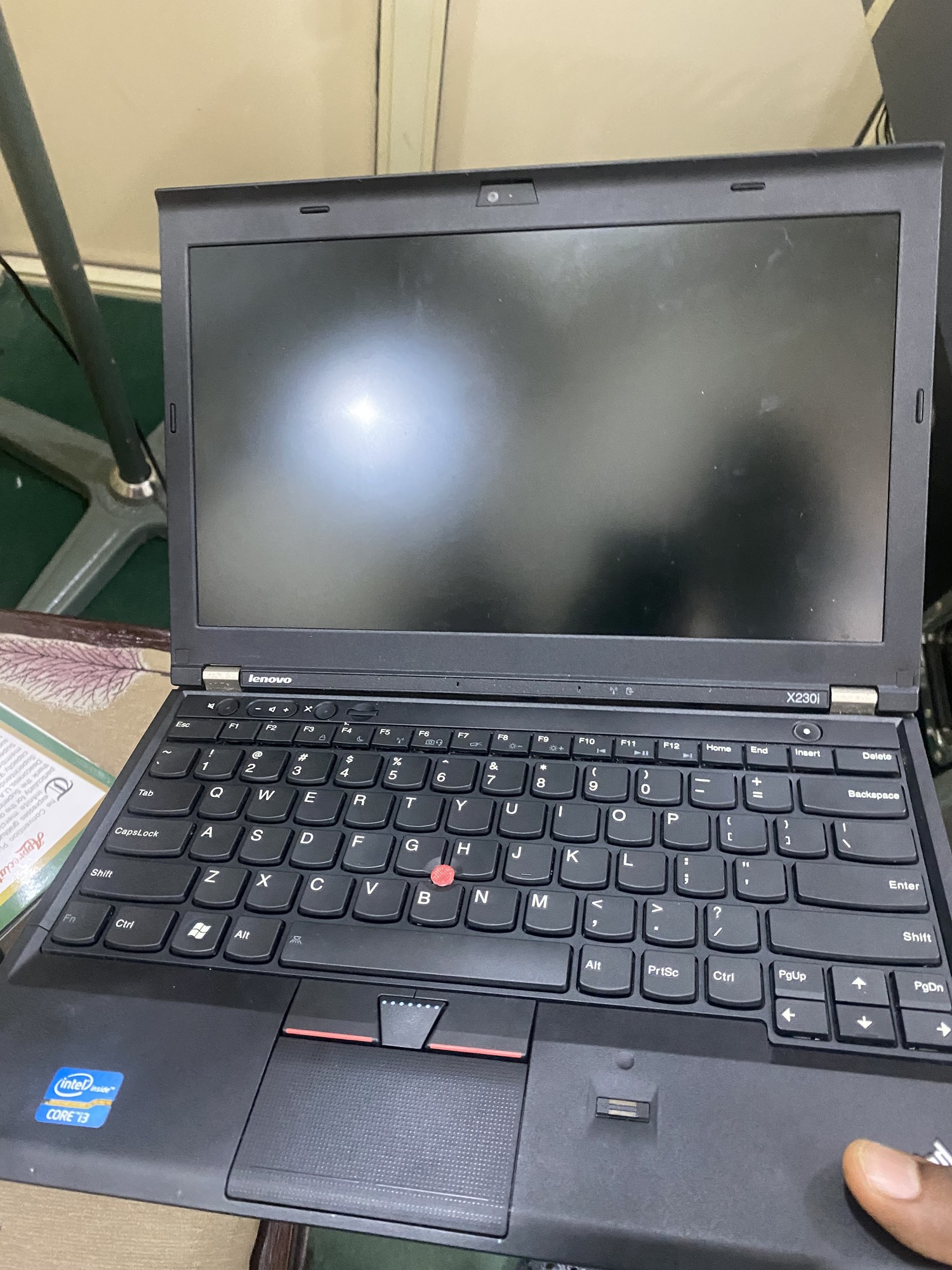
There’s no real difference between different brands of laptops that matters to distributions. In most cases there’s not even a difference between desktops and laptops that matters to distribution choice.
ThinkPads have always been well supported by Linux and older laptops are even better for support as there’s no issue of hardware newer than drivers.
Unrelated but relevant advice: Is this a refurbished laptop?
- Make sure to run Lenovo Diagnostics software; you can get it from official Lenovo website and check for any hardware issues during the stress testing.
- Check if BIOS password is removed.
- Test for memory RAM errors: disable secure boot in BIOS, then run Memtest86 test via a bootable USB to check for any memory errors.
Nice Thinkpad! I recently installed Linux Mint Debian Edition on one of the more recent Thinkpads. But the other suggestions here are fine as well. Mind an older Laptop with a spinning harddisk inside might not be as snappy as a people expect these days.
I run Debian. It’s perfect
I’ve been using Debian. I’ve never understood the attraction of Ubuntu, which is basically a corporate relabel of Debian. If I were really cool, I’d presumably go for Nix or Guix. Maybe someday. I switched from Fedora to Debian some years ago over some drama whose details I’ve forgotten, and have been happy with the move. Arch tries to be more up to date with everything and I guess that’s good for some users, but I like stuff that is stable, with an upgrade every few years.
Debian 13 with KDE Plasma has been super nice. Really nice looking straight out the box, zero setup required.
Feel like Ubuntu and Mint have less and less reason to exist with how great Debian is these days.
Man, Arch is so easy to install these days with
archinstall, there’s no reason not to give Arch a shot first!(I use Arch btw)
What is the usecase?
If this is a primary driver for things like work or your primary personal email/web/productivity machine, IMO you want Fedora for stability
If this will be for games, there are good dedicated distros (consider Batocera if you love retro!)
I reccomend fedora, great compromise between stability and modern features
Debian with XFCE. It’s very stable with very little bloat compared to Ubuntu.
KDE might not run horribly, but XFCE was always snappy for me when I ran it on a similarly-aged, sinmilar performance Fujitsu Lifebook.
Mint rather than Ubuntu surely, if you want a debian base. If you prefer something Fedora-based, I hear good things about Bazzite
The nice thing about Mint is that there’s no hardware requirements for thigh-highs. You can just wear regular socks.
I’ve got Debian with XFCE on the X220 I’m using as a server. No fuss, it just gets on with its job.
If you’re using this laptop to do work, then Mint or Zorin can’t be beat. They have user-friendly interfaces, they have stable packages meaning updates are unlikely to break your OS, and you can still install new software through Flatpak and Snap.
Once installed, install Librewolf for web browsing, VLC for video playback, OnlyOffice for MS Office files, and any other software you need from the built-in software store. If you choose Mint then you need to turn on unverified Flatpaks in the software store for everything to appear.
Also, with the original 1 x 4 GB of RAM and mechanical hard drive, this laptop will be slow with a modern OS, so I recommend upgrading it to 8 GB RAM (2 x 4 GB is recommended for dual channel speed) and an SSD beforehand.
I use CachyOS on my X220 with btrfs and lzo as disk compression (lzo is very good on old cpus and makes the SSD go really fast). But I think any distro could be good on that hardware.
As a side note, I would really like an x86_64-v2 distro, people jumped from no additional instructions to v3 in no time, but these thinkpads and older pcs could really shine with that kind of optimization.
+1 for CachyOS, I’ve been running it for a few months now and it’s my new favourite. I’ve run Mint, Ubuntu, and Bazzite but none of them felt right to me. Cachy has been great since day one. I mostly use it for gaming but also like to do non-gaming tasks too and it handles it all very well and very quick and smooth.
For a PC from around 2010-2018: Mint Cinnamon, Ubuntu 24.04, Lubuntu 24.04, MX Linux, in that order. Not Kubuntu, apparently it’s the lost sheep of the family. Until you’ve used Linux for a few years, always aim for LTS (long term support) or similar terms. Never use an OS billed as a “beta” or “release candidate”. “Rolling release” is suspect. It’s all fun and games until your OS doesn’t boot or you lose your data. Stability matters (and back up your data). Once you learn how Linux works, and if you become an enthusiast, you can do what you want. I highly, highly doubt you’ll find Arch as painless as what I recommend.
https://lemmy.frozeninferno.xyz/post/58612395
400+ installs in the past four years - discarded/donated business laptops that get fixed, cleaned, upgraded with cheapest SSDs and donated to predominantly tech illiterate users.
99% is ubuntu lts + ansible playbook that removes snap, disables A TON of update naggings, installs flatpak, coupla apps and systemd timer to autoupdate all flatpaks. this is the only thing that has low support requests, everything else we tried (mint, debian, fedora) has a disproportionately higher support request frequency (reinstalls, wifi, fix this, remove that, etc).
I’d say Ubuntu as #1 but it’s not known for maximum performance. Debian installer is a total mess and Linux fans don’t realize how foreign it is to a newbie. It feels like the Debian installer was last updated in 2004. I have a soft spot for Lubuntu and its classic Windows 2000 look. Runs fast too if that matters to you.
I mostly agree with the idea of using stable distros.
However, I will add that if you hate the default Debian installer and are willing to dig a bit through the website, they do have live USBs for each DE with a Calamares installer that I love. I really wish they would promote those more.
Honestly, they need to redo the whole Debian site.
Also, I find it funny you include 2018 in your range; I think that most things from 2018 could probably run almost any full modern distro competently, and that the better quality devices from 2015-2017 also wouldn’t struggle too much.
Debian’s website is such a pain. Why are the live ISOs buried?
I got a very recent Thinkpad and it apparently has official support for Ubuntu and Fedora. I went with Fedora KDE.