FYI, you don’t have to use any third party tools and I didn’t, either. Step 1 is to run the Enterprise LTSC IoT version of Windows (either 10 or 11). The consumer versions of Windows are extra bullshit, as we all know by now.
Remove the Windows Store via Powershell (you probably have to run as an administrator):
That removes the store suggestions. It also removes the store entirely, as well as the ability to install store apps. Obviously don’t do this if you are one of the 0.1% of users who actually use the Windows Store for some twisted reason.
Then in gpedit.msc / Group Policy Editor:
Local Computer Policy \ Computer Configuration \ Administrative Templates \ Windows Components \ Search
Allow Cloud Search → Disabled
Allow Cortana → Disalbed
Allow Search Highlights → Disabled
Do Not Allow Web Search → Enabled (gets rid of the internet search)
Don’t search the web or display web results in search → Enabled (probably overridden by the above, I set it anyway)
Local Computer Policy \ User Configuration \ Administrative Templates \ Start Menu And Taskbar
Remove Personalized Website Recommendations From The Start Menu → Enabled
Do Not Search Internet → Enabled
There are settings for other nags and irritations in here that you may also want to configure to your tastes as well.
Also:
Local Computer Policy \ User Configuration \ Administrative Templates \ Windows Components \ Windows Copilot
This is great advice, but I think we can all agree it absolutely shouldn’t be necessary. All this ad bullshit, store suggestions, Cortana, Copilot, web search, etc. should be opt in, or not exist at all.

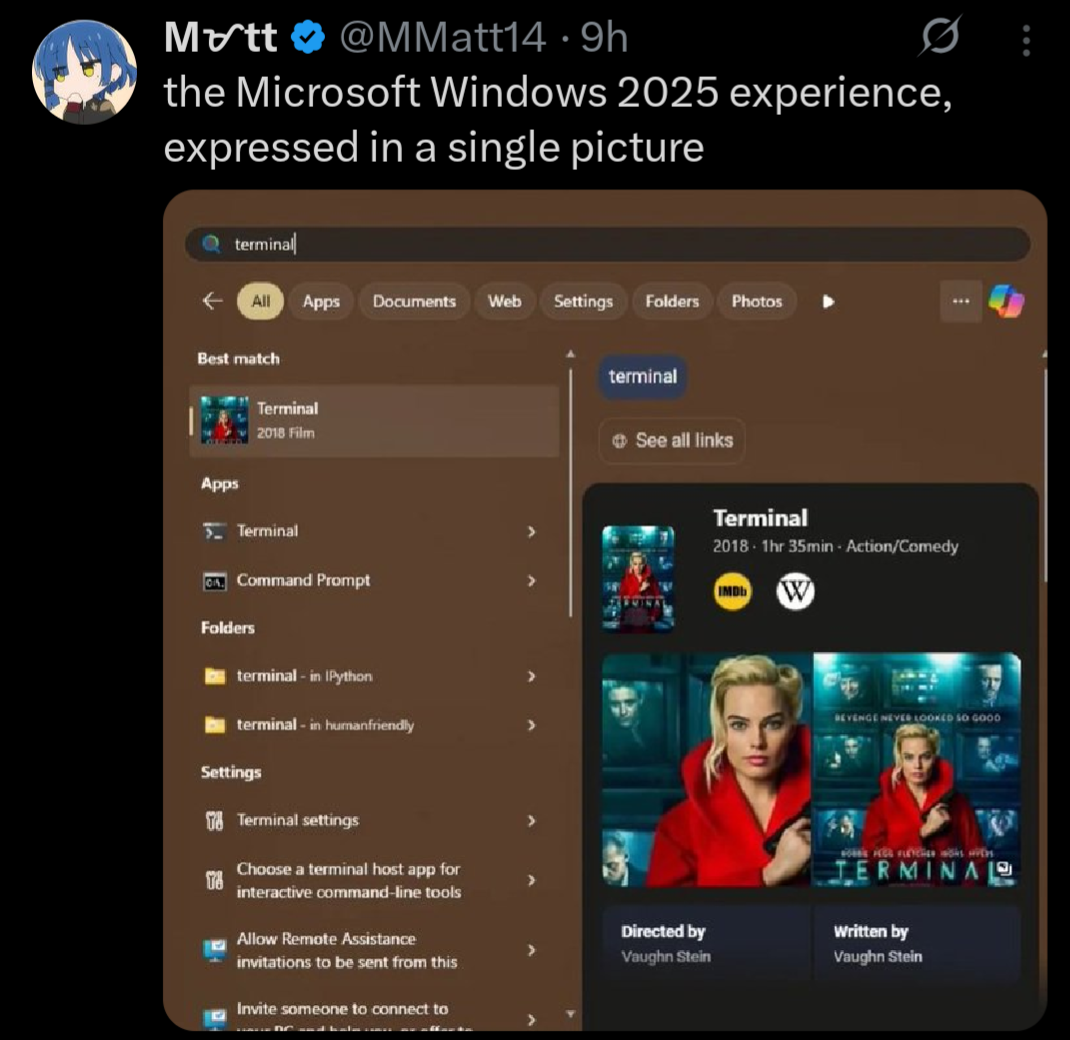
Mine too:
FYI, you don’t have to use any third party tools and I didn’t, either. Step 1 is to run the Enterprise LTSC IoT version of Windows (either 10 or 11). The consumer versions of Windows are extra bullshit, as we all know by now.
Remove the Windows Store via Powershell (you probably have to run as an administrator):
Get-AppxPackage -allusers *WindowsStore* | Remove-AppxpackageThat removes the store suggestions. It also removes the store entirely, as well as the ability to install store apps. Obviously don’t do this if you are one of the 0.1% of users who actually use the Windows Store for some twisted reason.
Then in gpedit.msc / Group Policy Editor:
Local Computer Policy \ Computer Configuration \ Administrative Templates \ Windows Components \ Search
Local Computer Policy \ User Configuration \ Administrative Templates \ Start Menu And Taskbar
There are settings for other nags and irritations in here that you may also want to configure to your tastes as well.
Also:
Local Computer Policy \ User Configuration \ Administrative Templates \ Windows Components \ Windows Copilot
This is great advice, but I think we can all agree it absolutely shouldn’t be necessary. All this ad bullshit, store suggestions, Cortana, Copilot, web search, etc. should be opt in, or not exist at all.