I empathize with this slightly non-ideal situation.
But can you imagine how insane it would be if you were told to do something like copy/paste swapoff /swap && truncate -s 8G /swap && swapon /swap into a terminal? TEXT? Like a caveman? The horror! The heresy! How can anyone be expected to do something so complicated! This is entirely unreasonable UX and the reason why Linux is straight up unusable.
Btw here’s 15 bazillion commands in a .ps to perhaps disable some of the ads in your start menu until the next time your computer reboots.
I agree with the sentiment, and it would definitely make a lot of troubleshooting easier, but you do gotta remember that 99% of people are so non-technical they won’t read anything going into their terminal, or if they do, they won’t know what it means.
You could just as easily replace that with sudo rm -rf /* and they’d run it just as quickly, and that’s my worry.
IMO we should just have settings menus alongside commands for most things any normal user might have to encounter, since that’s just a more user-friendly interface in terms of preventing accidental bad command execution and also just letting people find things on their own without having to look up a command every time if they don’t want to learn a short book’s worth of terminal commands.
remember that 99% of people are so non-technical they won’t read anything going into their terminal
That’s a bit ambitious. People don’t like to read anything on their computer. I’ve had people call me over to help with a “computer error” when Word is asking them if they’d like to save their document.
The kind of person who blindly runs commands also blindly runs any .exe or .bat they download from github which is not any better.
Of course in an ideal world there’d be a perfect GUI for everything, and we’ve gotten a lot better at that in the last few years. But it’s not like windows is lacking in things that are only configurable through CLI or the registry (which is even more opaque). I’m not saying Linux is perfect, just pointing out the hypocrisy.
While true, copying and pasting is much easier to exploit, especially since websites can alter your clipboard. Not to mention that people are already more wary of downloadable executables, but less so for commands.
For example, I’m not sure if you saw the newer attack vector a lot of scammers are using, but essentially they’ll have a 3-step process saying “Press Win + R” and “Press Ctrl + V” then “Hit Enter”, as a fake captcha, and the site automatically copies a malicious command to their clipboard, which then gets run when they paste.
A similar attack vector could take place where a user copies a command that looks legitimate, hits paste and enter, and only then is it clear that the site copied a new command to their clipboard that isn’t the one on the site they thought they checked.
I do agree that Windows is still pretty shit in this regard though. I just think we should seek to not emulate that as a requirement for users to edit certain settings if we can help it :)
The attack vector of convincing users to do stuff exists regardless of whether a niche GUI exists somewhere to do <the thing>. The only proper defense against social engineering is a) training and b) following the least privilege principle (which neither Windows or traditional Linux desktop’s permission model properly, as the current user in either case has full permissions to retrieve extremely sensitive credentials such as browser cookies without interaction).
Trying to defend against this from the perspective of de-normalizing the CLI is like defending against drunk driving by adding a bittering agent to Guiness beer exclusively.
As for clipboard highjacking, I am well aware, which is why any decent modern terminal emulator should a) strip escape codes by default and b) support bracketed-paste, to prevent immediate execution of a pasted command. If yours does not, please consider switching to a safer alternative (such as kitty).
IMO we should just have settings menus alongside commands for most things any normal user might have to encounter, since that’s just a more user-friendly interface in terms of preventing accidental bad command execution and also just letting people find things on their own without having to look up a command every time if they don’t want to learn a short book’s worth of terminal commands.
THIS. As a lifelong Windows user I’d rather deal with layers of shitty GUI, than having to memorise terminal commands and always pay attention not to mistype them lest I fuck my system up.
I can’t switch to Linux yet due to lack of support from my essential programs, but even if it wasn’t for those, I’d still be annoyed if I had to use a terminal to change settings in my system.
Hmm… Not sure how Linux’ terminal is any better than this, tbh.
Even ignoring all the wacky command names - you have a billion different commands, each doing everything in its own way.
PowerShell is uniform and standardised. This makes learning things super easy. Like, you can’t tell me that you don’t know what’s going on by just looking at the code I posted.
It’s not that bad in the GUI as well, as long as you don’t try to angrily fight against change, like OP did.
Go to Settings -> System -> Advanced -> Advanced Settings. You’re already on the old-style dialogue known from the Control Panel days. Two more clicks and you’re in the spot where you can change the page file settings.
People love to shit on Settings, but that’s just weird dudes being angry at change. Control Panel was a chaotic mess. As a guy who worked as first line IT support at the time when Win10 came out, I could not be happier when Settings happened. Everything had a super neat, super easy to follow “route” I could describe to the user over the phone. No need to start describing the difference between the side-bar links, and tabs, and having to click “OK” six times to ACTUALLY save the change you made, because the setting you changed was buried six pop-up windows deep…
Yes, Settings first released with Windows 10. The one in Win11 is very similar, just slightly different design.
control panel also still exists, just harder to access
As a guy who worked in IT for over 20 years - I hate CP with a passion. It’s a complete mess, and chaos. You click an icon to open a view, to click a link to open a window, then switch to a tab, and press a button to get another window with more tabs… “Press ‘Advanced’ four times in a row to get to where you need to be” kind of nonsense.

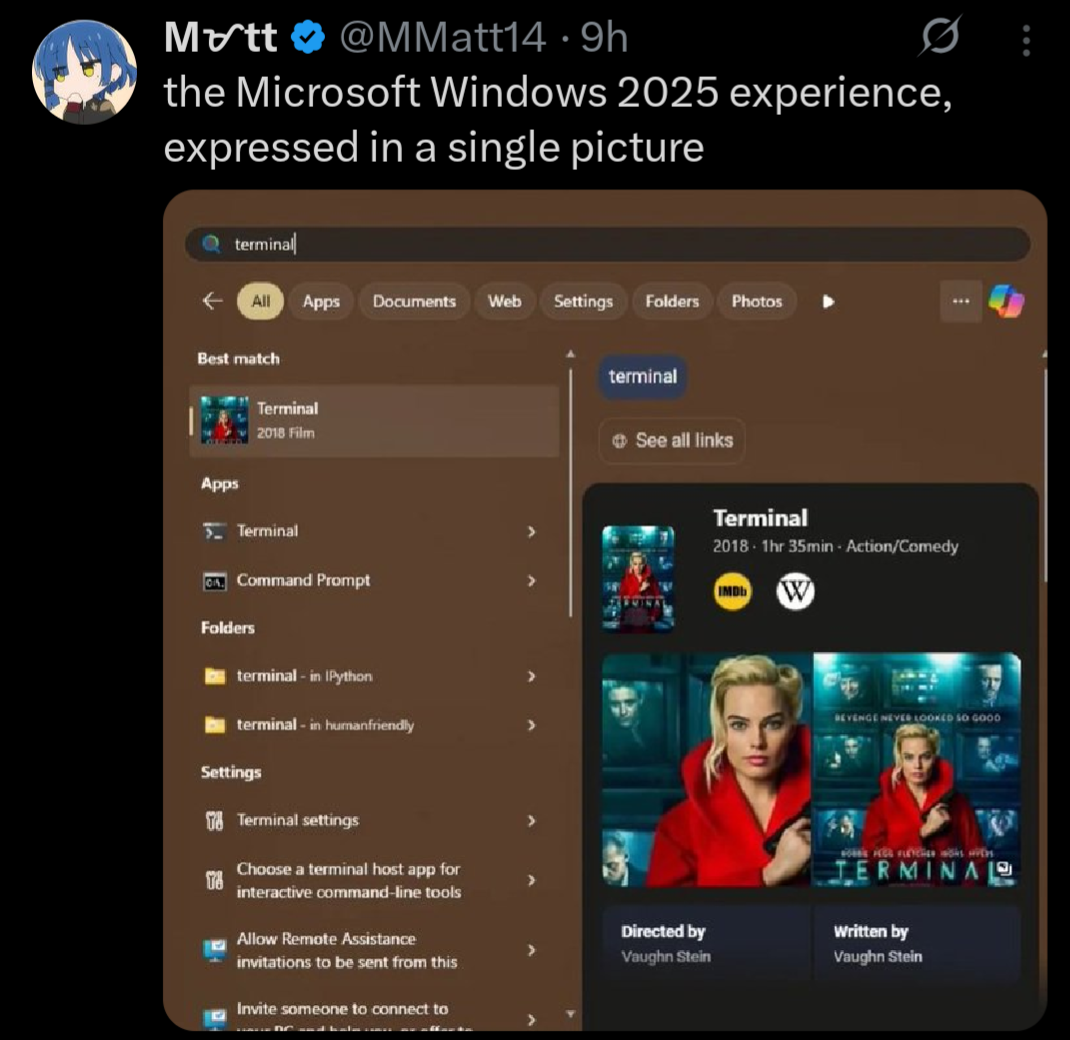
I empathize with this slightly non-ideal situation.
But can you imagine how insane it would be if you were told to do something like copy/paste
swapoff /swap && truncate -s 8G /swap && swapon /swapinto a terminal? TEXT? Like a caveman? The horror! The heresy! How can anyone be expected to do something so complicated! This is entirely unreasonable UX and the reason why Linux is straight up unusable.Btw here’s 15 bazillion commands in a
.psto perhaps disable some of the ads in your start menu until the next time your computer reboots.I agree with the sentiment, and it would definitely make a lot of troubleshooting easier, but you do gotta remember that 99% of people are so non-technical they won’t read anything going into their terminal, or if they do, they won’t know what it means.
You could just as easily replace that with
sudo rm -rf /*and they’d run it just as quickly, and that’s my worry.IMO we should just have settings menus alongside commands for most things any normal user might have to encounter, since that’s just a more user-friendly interface in terms of preventing accidental bad command execution and also just letting people find things on their own without having to look up a command every time if they don’t want to learn a short book’s worth of terminal commands.
So like KDE
That’s a bit ambitious. People don’t like to read anything on their computer. I’ve had people call me over to help with a “computer error” when Word is asking them if they’d like to save their document.
The kind of person who blindly runs commands also blindly runs any .exe or .bat they download from github which is not any better.
Of course in an ideal world there’d be a perfect GUI for everything, and we’ve gotten a lot better at that in the last few years. But it’s not like windows is lacking in things that are only configurable through CLI or the registry (which is even more opaque). I’m not saying Linux is perfect, just pointing out the hypocrisy.
While true, copying and pasting is much easier to exploit, especially since websites can alter your clipboard. Not to mention that people are already more wary of downloadable executables, but less so for commands.
For example, I’m not sure if you saw the newer attack vector a lot of scammers are using, but essentially they’ll have a 3-step process saying “Press Win + R” and “Press Ctrl + V” then “Hit Enter”, as a fake captcha, and the site automatically copies a malicious command to their clipboard, which then gets run when they paste.
A similar attack vector could take place where a user copies a command that looks legitimate, hits paste and enter, and only then is it clear that the site copied a new command to their clipboard that isn’t the one on the site they thought they checked.
I do agree that Windows is still pretty shit in this regard though. I just think we should seek to not emulate that as a requirement for users to edit certain settings if we can help it :)
The attack vector of convincing users to do stuff exists regardless of whether a niche GUI exists somewhere to do <the thing>. The only proper defense against social engineering is a) training and b) following the least privilege principle (which neither Windows or traditional Linux desktop’s permission model properly, as the current user in either case has full permissions to retrieve extremely sensitive credentials such as browser cookies without interaction).
Trying to defend against this from the perspective of de-normalizing the CLI is like defending against drunk driving by adding a bittering agent to Guiness beer exclusively.
As for clipboard highjacking, I am well aware, which is why any decent modern terminal emulator should a) strip escape codes by default and b) support bracketed-paste, to prevent immediate execution of a pasted command. If yours does not, please consider switching to a safer alternative (such as kitty).
THIS. As a lifelong Windows user I’d rather deal with layers of shitty GUI, than having to memorise terminal commands and always pay attention not to mistype them lest I fuck my system up.
I can’t switch to Linux yet due to lack of support from my essential programs, but even if it wasn’t for those, I’d still be annoyed if I had to use a terminal to change settings in my system.
There are - PowerShell.
Changing the size:
Disabling automatic sizing:
we do, but better ones would be nice…
yeah this is why i want to never touch windows again
Hmm… Not sure how Linux’ terminal is any better than this, tbh.
Even ignoring all the wacky command names - you have a billion different commands, each doing everything in its own way.
PowerShell is uniform and standardised. This makes learning things super easy. Like, you can’t tell me that you don’t know what’s going on by just looking at the code I posted.
i meant on graphical versions like the settings app could be a lot better
command line/terminal depends on what youre used to and whatnot
It’s not that bad in the GUI as well, as long as you don’t try to angrily fight against change, like OP did.
Go to Settings -> System -> Advanced -> Advanced Settings. You’re already on the old-style dialogue known from the Control Panel days. Two more clicks and you’re in the spot where you can change the page file settings.
People love to shit on Settings, but that’s just weird dudes being angry at change. Control Panel was a chaotic mess. As a guy who worked as first line IT support at the time when Win10 came out, I could not be happier when Settings happened. Everything had a super neat, super easy to follow “route” I could describe to the user over the phone. No need to start describing the difference between the side-bar links, and tabs, and having to click “OK” six times to ACTUALLY save the change you made, because the setting you changed was buried six pop-up windows deep…
they both existed in 10? control panel also still exists, just harder to access.
Yes, Settings first released with Windows 10. The one in Win11 is very similar, just slightly different design.
As a guy who worked in IT for over 20 years - I hate CP with a passion. It’s a complete mess, and chaos. You click an icon to open a view, to click a link to open a window, then switch to a tab, and press a button to get another window with more tabs… “Press ‘Advanced’ four times in a row to get to where you need to be” kind of nonsense.