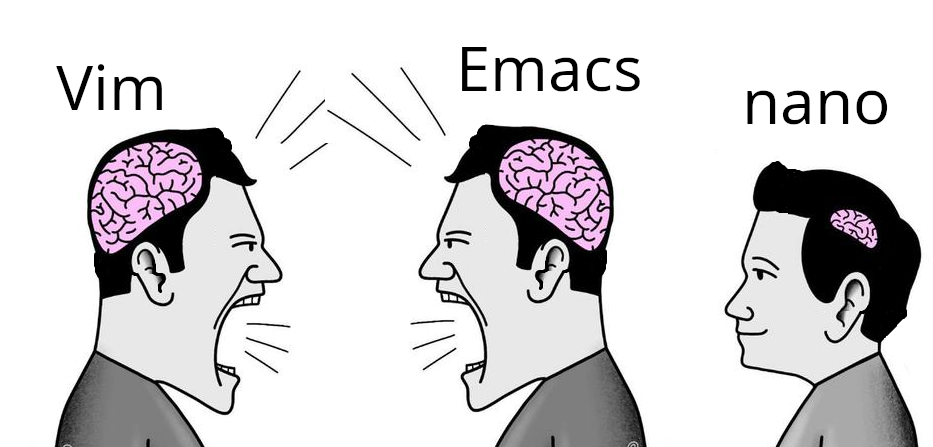
me like use nano. nano say how do thing. nano exit easy.
Emacs is a table saw, vim is a chainsaw, nano is a scissor. Every problem those 3 solve is a differently sized single sheet of paper.
HAHAHA HAHAHA
announce to the world you know fuck-all about either, lol
I use Helix btw
nice! LMK if they ever get that frontend running
You can subscribe to the GitHub discussion, it looks like there are some prototypes but not a definitive GUI: https://github.com/helix-editor/helix/discussions/11783
+1 for a Helix home.
Helix is my favorite, it does everything I want a text editor to do and it’s much more intuitive than vim/nvim. I was never a power user of either so I’m sure it’s missing plenty of functionality that nvim users are used to but it’s perfect for my use cases.
Ah, my kith and kin. Salutations, ye of excellent discerning taste.

I like micro
I’ve been in camp Vim for decades, but I almost always suggest micro to people dipping their toe into Linux. I can’t imagine thinking nano, or whatever, would be more comfortable unless the person has never used a computer before.
Linux text editor discourse has been baffling to me for decades now. I don’t care which you use, and I care even less about why.
Emacs evil mode enters the chatNano is trash.
micro
I no understand nano. I hate key combinations
I don’t get why there’s so much prejudice towards nano users in the Linux community, people act like nano is useless but it performs its job well, and it does it without being large or overly complicated.
Ed users are vim lusers on steroids.
deleted by creator
When I was first learning how to code I was working on some beginner project and couldn’t figure it out. I asked a friend who knew a few things what I was doing wrong and he hopped on my computer, fixed the code then opened it in vim and told me my project wasn’t working because of whatever text editor I was using (I think sublime). So for like a year I hardly learned how to code but I got pretty dang good with vim.
I first ran into nano when I gave Gentoo a try. I had to edit a few config files, so I ran vi… no vi. Emacs? No Emacs. Well, shit, what am I supposed to do? So I went back a bit and read more carefully, apparently there was a thing called nano.
So I ran that. Ew. It was a clone of an old DOS editor of all things. What kind of lunatic had ported that? Anyway I managed to do my edits with it, added normal editors to the system and was on my way.
It was also the last time I used it.“I hated using it”
“But you have used it, yes?”Well, yes. But I did wash my hands afterwards.
Do they have a sink in eMacs now?
nano is the perfect editor for people who only use editors in the terminal, once in a while to edit a config file.
I don’t think it’s the perfect editor for anything. They’ll have to use vi sooner or later, they might as well learn the basics. Or just use kate.
I’ve been using linux for 25 years and I can count the number of times I used vi to actually edit something on one hand. They will not “have to use vi sooner or later.”
It’s OK not to like and not use nano. It’s also OK to like and use nano.
It’s fine if you only use your own machine. I suppose having accounts on other boxes is less common nowadays, but there’s much less guarantee to find your comfort editor there.
Also a 30 year+ linux/unix user.
Also a 30 year+ linux/unix user.
Fuck you all, Linus Torvalds here /s
Use Kate in command line over ssh?
Ssh - X
Then run kate, easy :)
But I don’t have a DE installed! :p
micro > *
nano gang represent😎
I actually prefer micro
I can use Vim, it was the choice for years. But I actually like using nano because it’s what I need and all I need.
Honestly nano is perfect for quick edits. Vim and Emacs are powerful, but sometimes you just want to open a config file, change one line, and exit without fighting the editor. 😄
This is what i use vim for. Vim doesn’t necessarily have to be a full blown ide with 30 plugins