

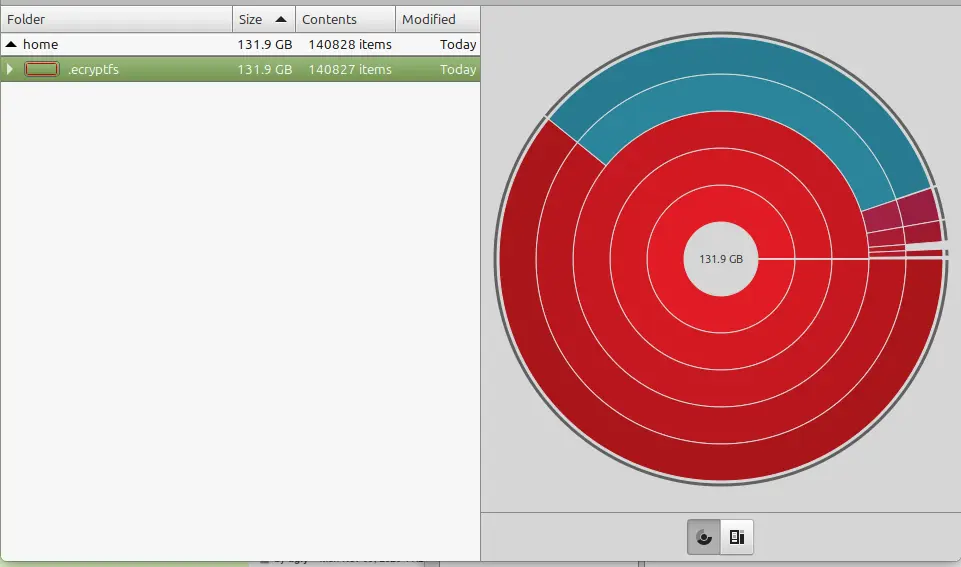
I set up a laptop with linux mint cinnamon within the last two weeks, and while trying to install The Sims 4 today I got a message that the hard drive was out of space. I have installed nothing so far except for Steam, and tools to get The Sims 4 running. I see that 131gb is taken up by .ecryptfs and a web search turned up this thread however I used the utility that was suggested with the same result. Then OP says multiple reboots have cleared up the issue. I am on reboot 4 now with no such luck.

Is it safe to delete this? Is it something with timeshifted?
What’s the full path to it? Is it just in
/home? Or is it in/home/<your username>somewhere?I’d say try running
du -csh .ecryptfsand post the output. The thread you shared mentioned that it’s a known bug with that disk usage tool.du -csh .ecryptfsshouldn’t have the same issue and will at least rule out the possibility that the disk usage tool you’re using is misreporting and presenting a red herring./home/.ecryptfs95G /home/.ecryptfs 95G totalI did run the utility suggested in the thread I linked as well and posted a screenshot of the output in the op. It showed roughly the same thing as the disk analyzer. But after suspending the laptop to come home from work it appears the folder is shrinking.
I ran ncdu again, it looks like home/.ecryptfs and home/user are duplicated in terms of file size.
Edit: as far as the usage going down, I forgot I deleted some downloads before I left work