Yes, in your google account settings, though yea you need a google account. I’d tell you but I have no idea how to turn it back ON. I think to turn it off I clicked the 3 dots next to the AI overview.
It’s definitely tied to your google account tho because it does appear for me in incognito.
I checked if I turned it off with an extension and no I didn’t. I turned all my extensions off.
OR, USE STARTPAGE and stop complaining.
Google shoves things down your throat, and you happily swallow, but then you complain online without even looking up “turn off google AI overview” or something.
The people that hurt me are the ones that spend hours of their life complaining on the internet but don’t spend 5 minutes trying to find an answer or stand up for themselves
Add a custom default search engine on your browser of choice with the url https://www.google.com/search?q=PLACEHOLDER&udm=14, replacing PLACEHOLDER with whatever your browser needs it to be. Subject to stop working whenever google chooses, so keep that in mind.


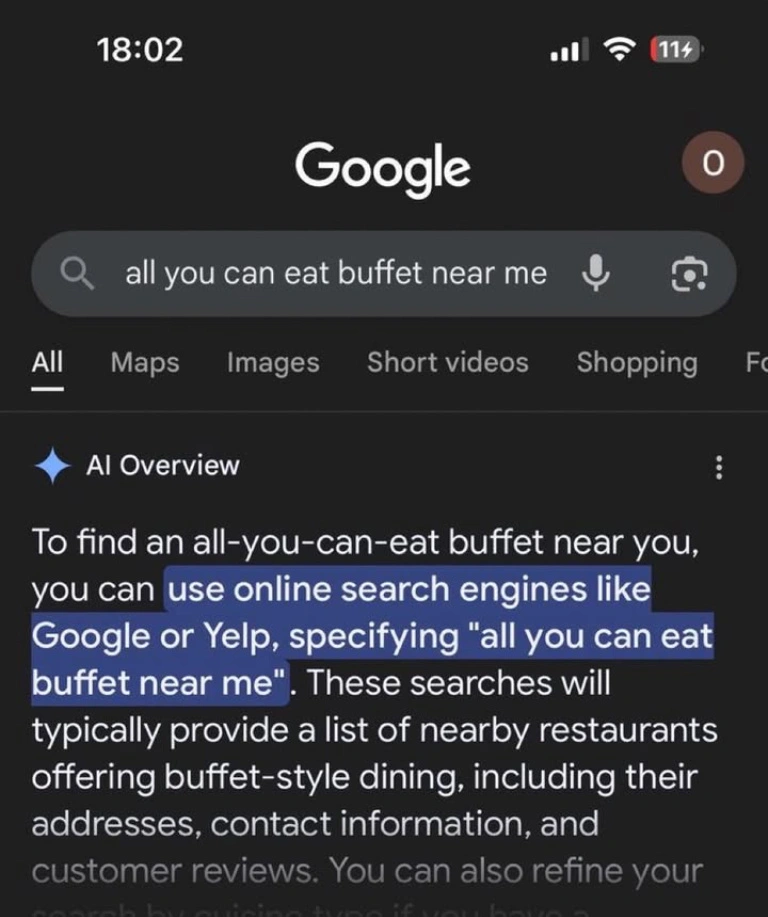
It can be turned off?
Yes, in your google account settings, though yea you need a google account. I’d tell you but I have no idea how to turn it back ON. I think to turn it off I clicked the 3 dots next to the AI overview.
It’s definitely tied to your google account tho because it does appear for me in incognito.
I checked if I turned it off with an extension and no I didn’t. I turned all my extensions off.
OR, USE STARTPAGE and stop complaining.
Google shoves things down your throat, and you happily swallow, but then you complain online without even looking up “turn off google AI overview” or something.
Wow, dude, who hurt you?
Anyway thanks for the answer, i didn’t find the option from a quick glance though so 🤷
The people that hurt me are the ones that spend hours of their life complaining on the internet but don’t spend 5 minutes trying to find an answer or stand up for themselves
You sure complain a lot though.
I also just found a firefox extension called “Hide Google ai overviews”.
OR USE STARTPAGE.
Add a custom default search engine on your browser of choice with the url
https://www.google.com/search?q=PLACEHOLDER&udm=14, replacing PLACEHOLDER with whatever your browser needs it to be. Subject to stop working whenever google chooses, so keep that in mind.Just switch to something that does not have AI in search…