

- cross-posted to:
- technology@lemmy.world
- cross-posted to:
- technology@lemmy.world
cross-posted from: https://lemmy.world/post/40834339
Just pick one - All the Fox functionality without bloatware
Librewolf - https://librewolf.net/
Waterfox - https://www.waterfox.com/
Zen Browser - https://zen-browser.app/
More browsers here - https://alternativeto.net/category/browsers/firefox-based/
You can also use this add to disable the
shitloadai function in many search engines in one gohttps://addons.mozilla.org/en-US/firefox/addon/disable-ai/
GitHub page - https://github.com/jruns/disable-ai
You can find all the links on Mastodon<


I installed the Disable AI extension, but I can still see the AI Search on Ecosia :/
You’re right, just tested. Post the issue here.
https://github.com/jruns/disable-ai/issues
I don’t really want to register on GitHub. I’d do it on Codeberg if the code were on Codeberg, but it’s only on GitHub.
You can turn off AI overviews in Ecosia’s settings, and uBlock Origin’s element picker can block the AI search button.
Alternatively, DuckDuckGo lets you entirely disable everything AI and even block search results that are known to be AI-generated. Pretty much the main reason I still use it
Where?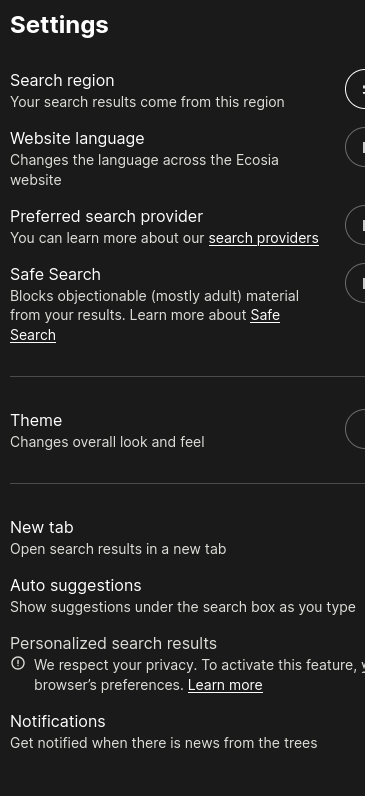
Probably I am going to switch to another search engine, like the ones phaedrus@piefed.world said.
That’s incredibly odd…it’s right there for me
Do you have an ecosia account? I am not logged in.
No, I am not logged in either - maybe it’s an A/B testing thing?